
Ask your database in plain English
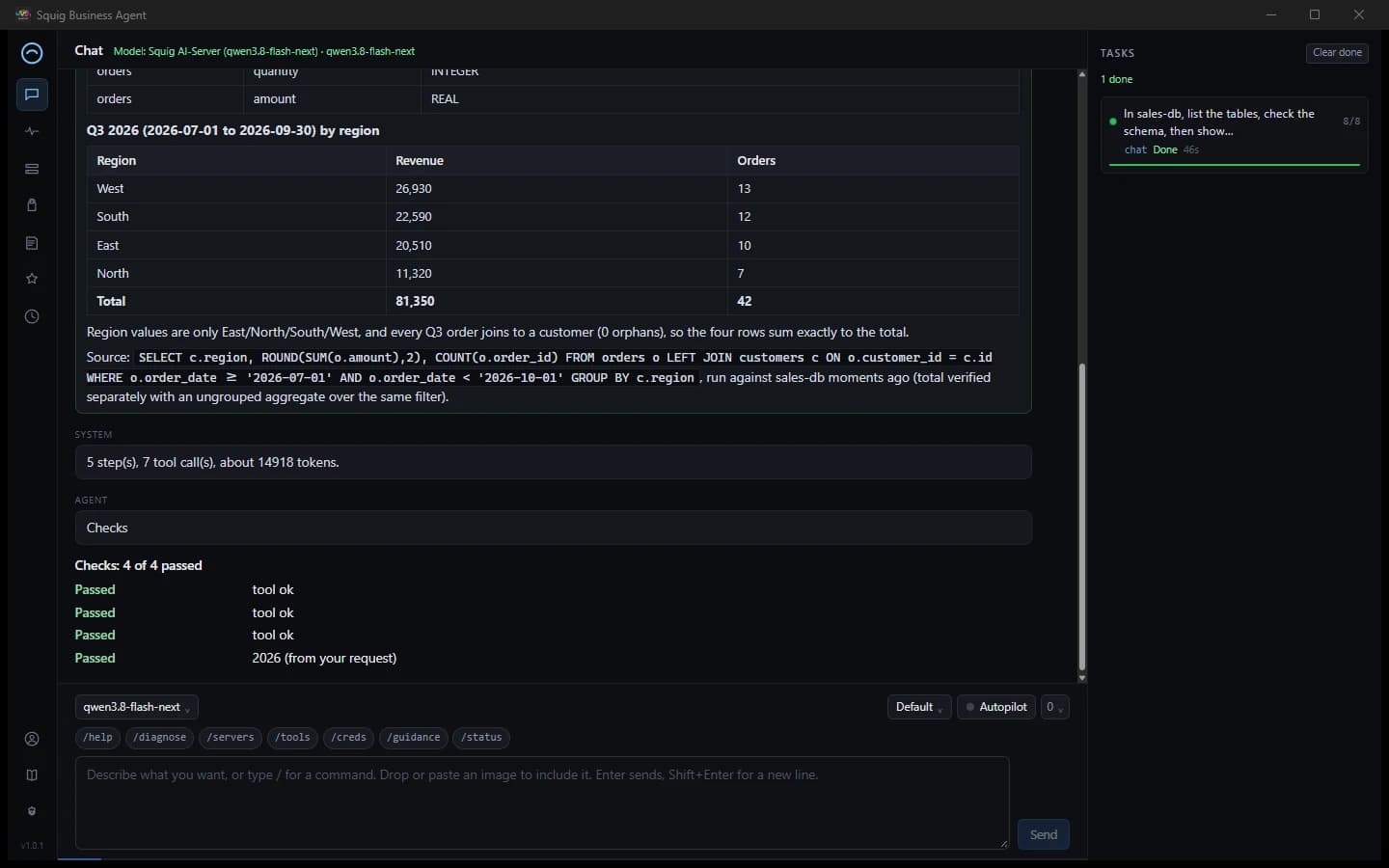
Connect a SQL MCP server. The agent finds the tables, writes the query, shows you the SQL it ran and checks that the counts add up. Anything that can run SQL asks for your approval first.
Windows · $39 once
Squig Business Agent queries your databases and mailbox through MCP, builds spreadsheets and PDF reports, and asks before it writes or sends anything. Run it with your own OpenAI-compatible model.
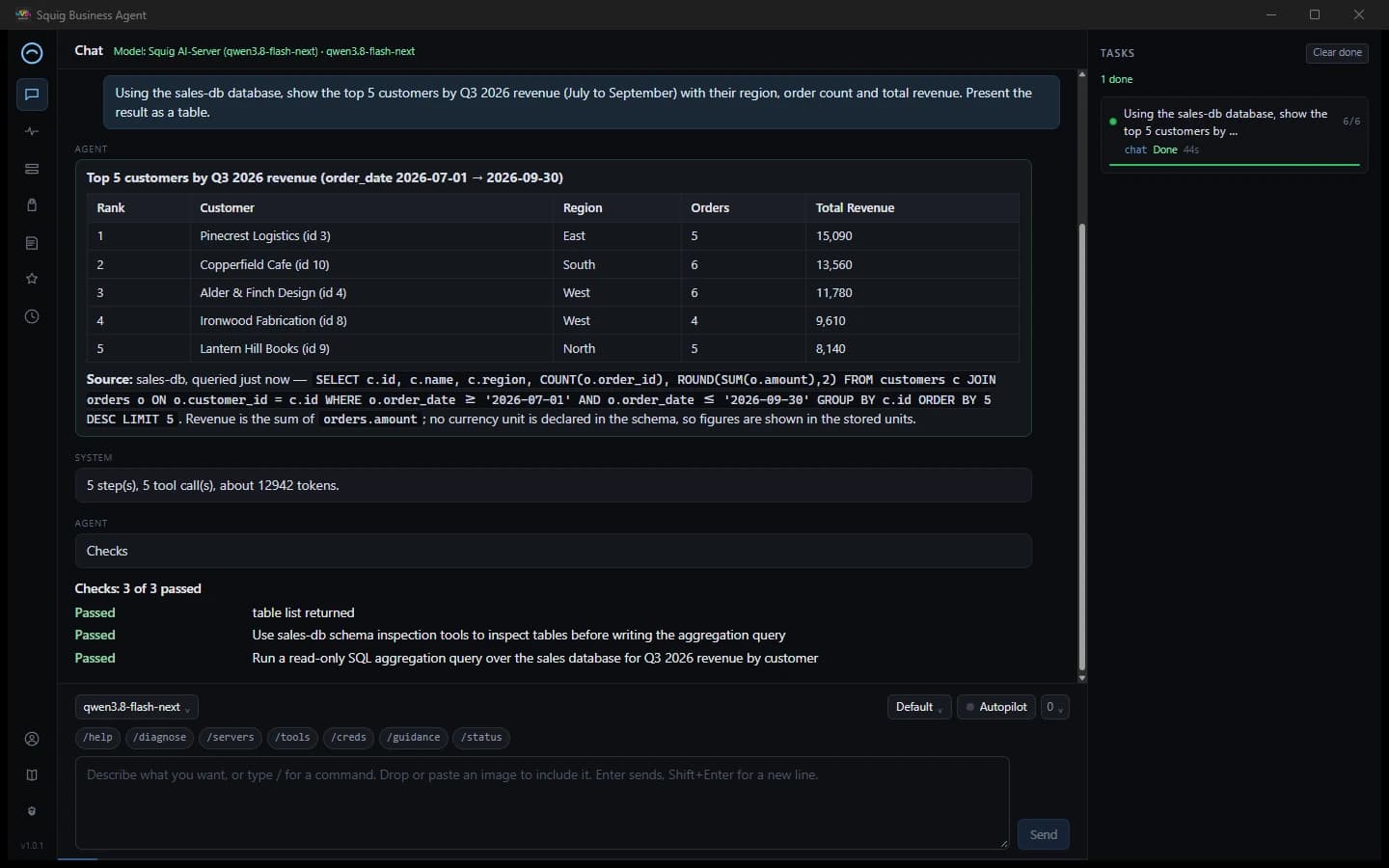
A real run: “Which five customers drove the most Q3 2026 revenue?”
Connect a SQL MCP server. The agent finds the tables, writes the query, shows you the SQL it ran and checks that the counts add up. Anything that can run SQL asks for your approval first.
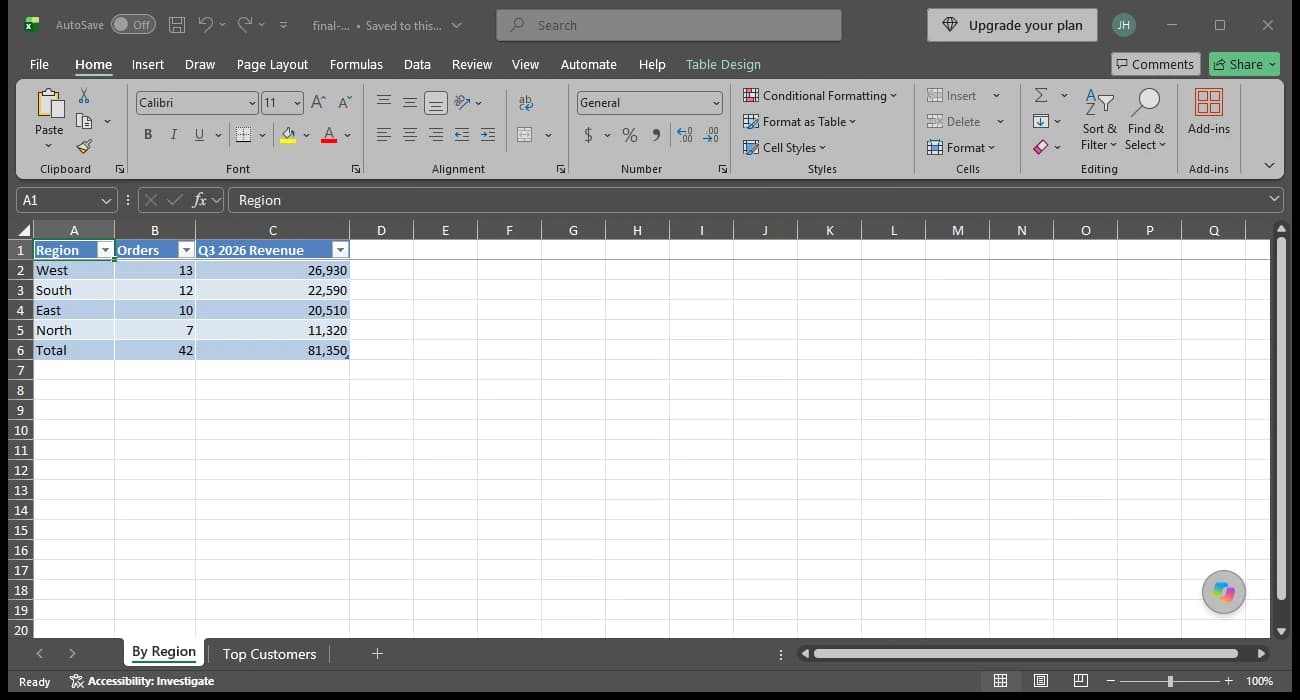
Ask for the numbers as a workbook and get a real .xlsx with formatted tables, sheets, totals and columns sized to fit. Word documents (.docx) too.
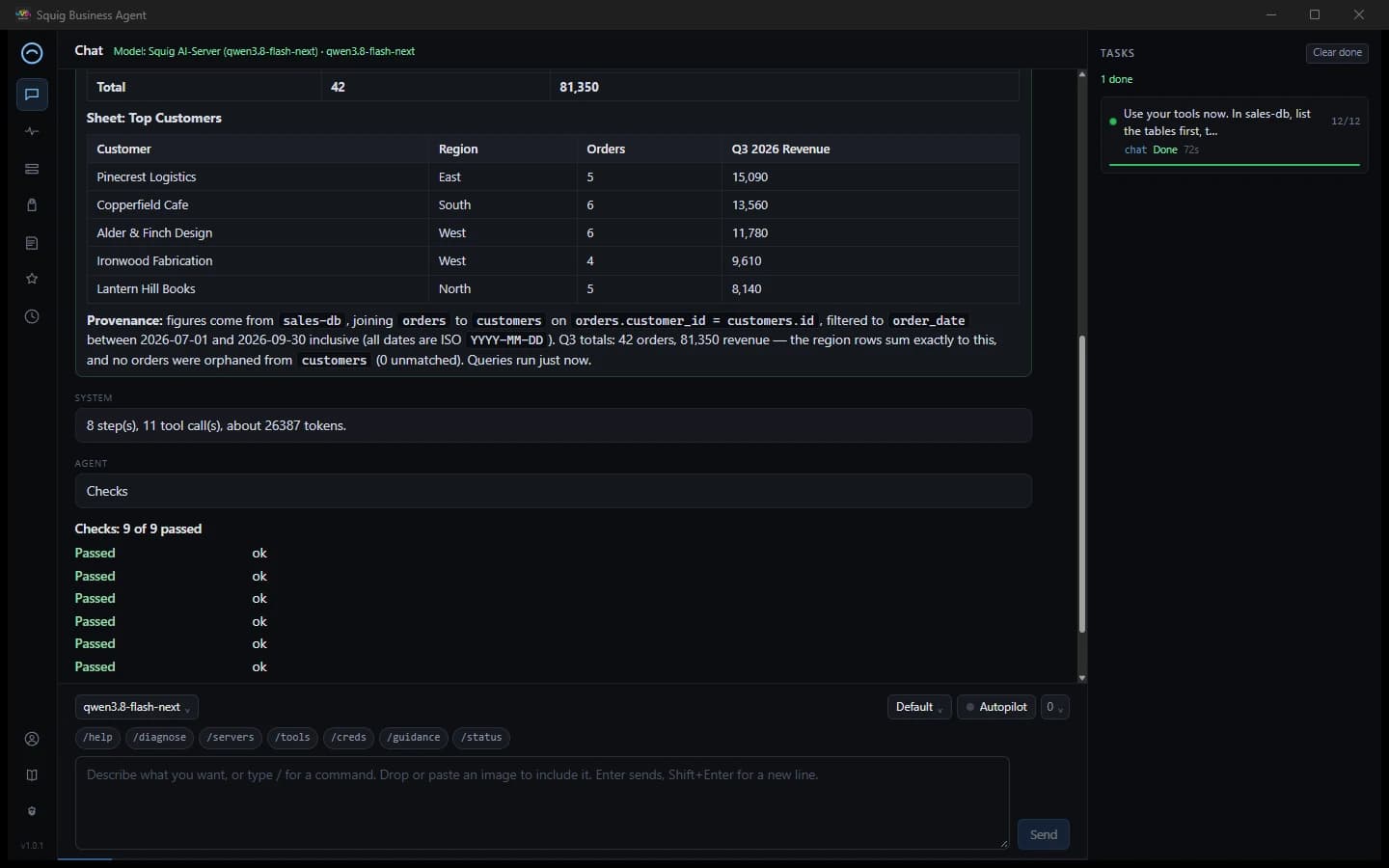
The agent writes the report as HTML and converts it to PDF with headless Chrome or Edge. No browser installed? A built-in renderer takes over.
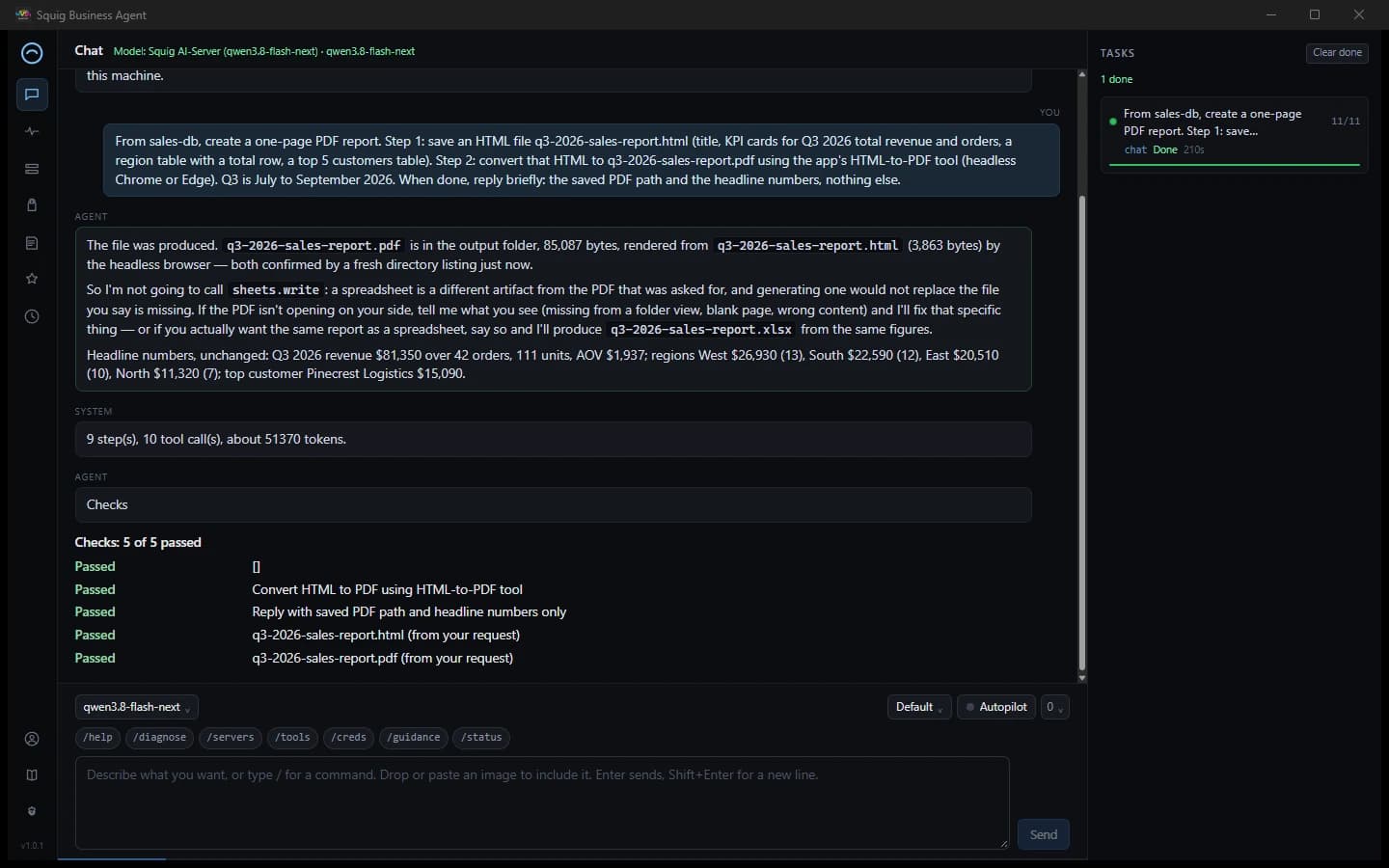
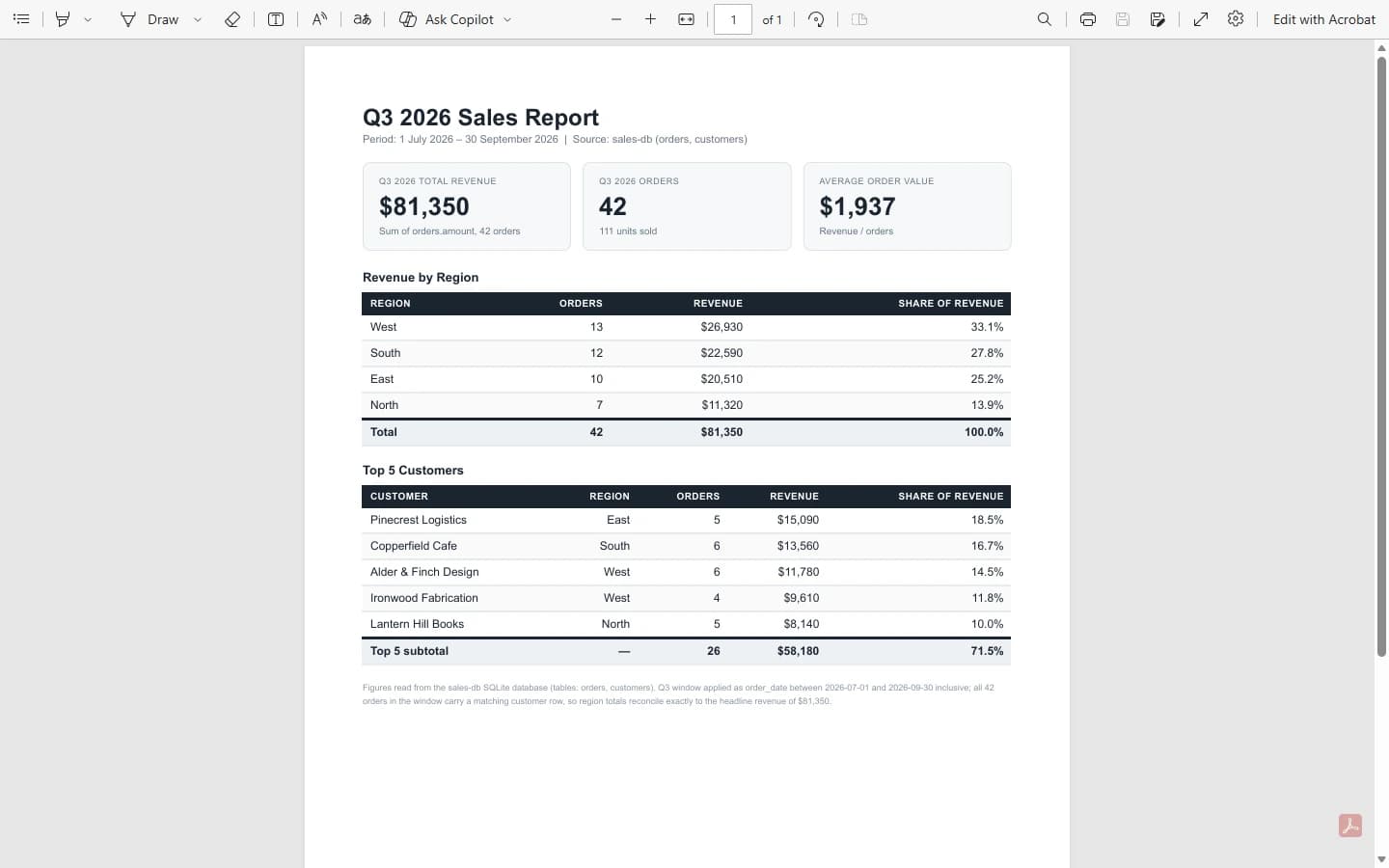
Sending email, changing data and anything else that leaves the app stops at an approval prompt that shows the exact action. Approve or deny with a click. Email and tool output are treated as untrusted text, so a message that says “ignore your rules” does not get to act.
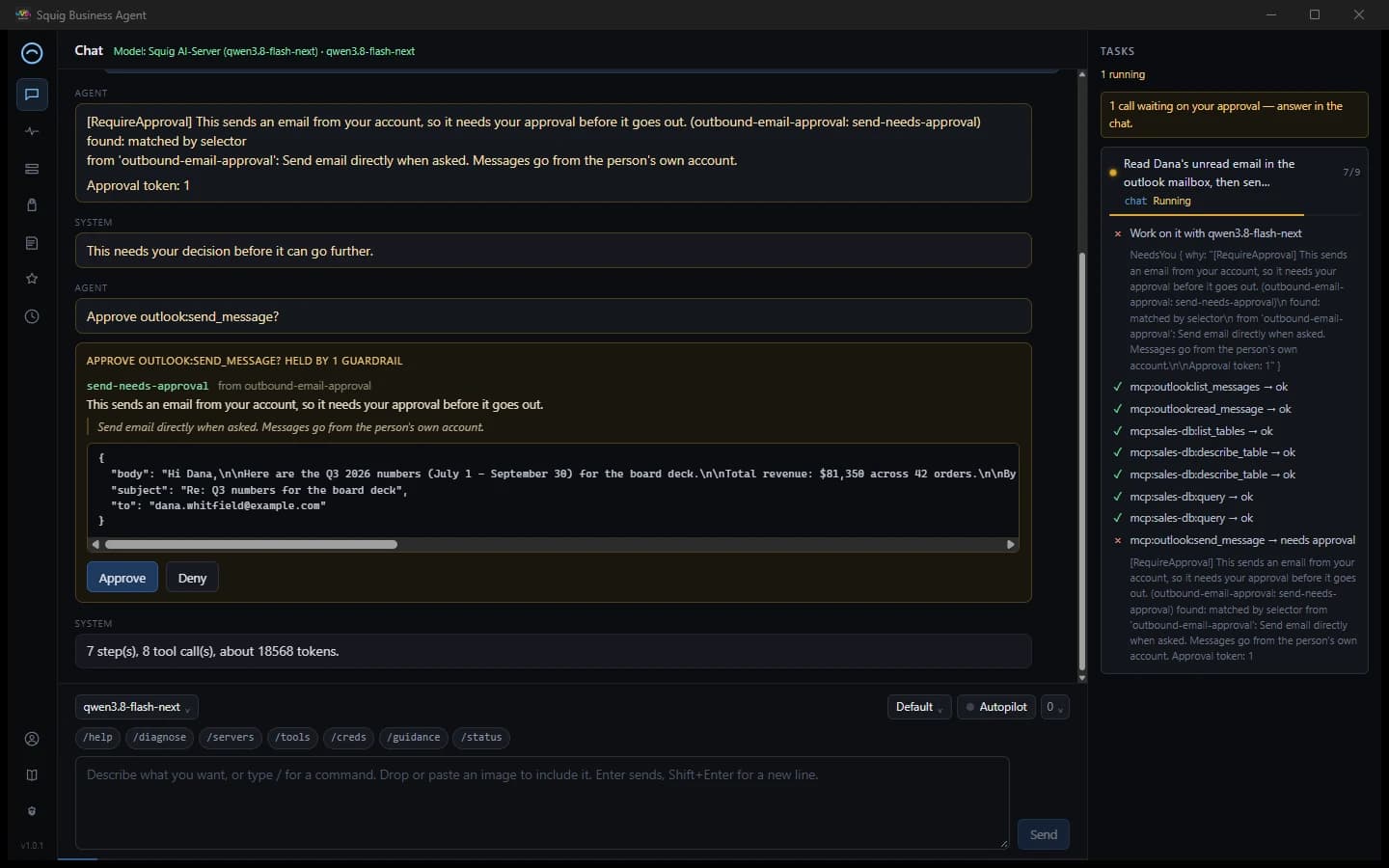
Read and draft mail through an Outlook or Microsoft 365 MCP server. Sending and deleting need your approval.
On a local model the agent plans first, then checks the result against your request. Failed checks are reported, not hidden.
Every tool call is logged so you can see what the agent did and what you approved.
Use any OpenAI-compatible endpoint: your own server, such as llama.cpp or llama-swap, or a hosted provider. A tool-calling model works best.
The app talks to your model endpoint and your MCP servers. There is no Squig cloud in the middle of your queries or mail.
In-app updates are signed and verified. An update is never installed without you asking.
$39one-time
By purchasing you agree to the license terms. See the privacy policy.
The installer isn’t code-signed yet, so SmartScreen may warn on first run. Choose More info → Run anyway. Updates are signed and verified separately.
Looking for the other apps? See all products.