
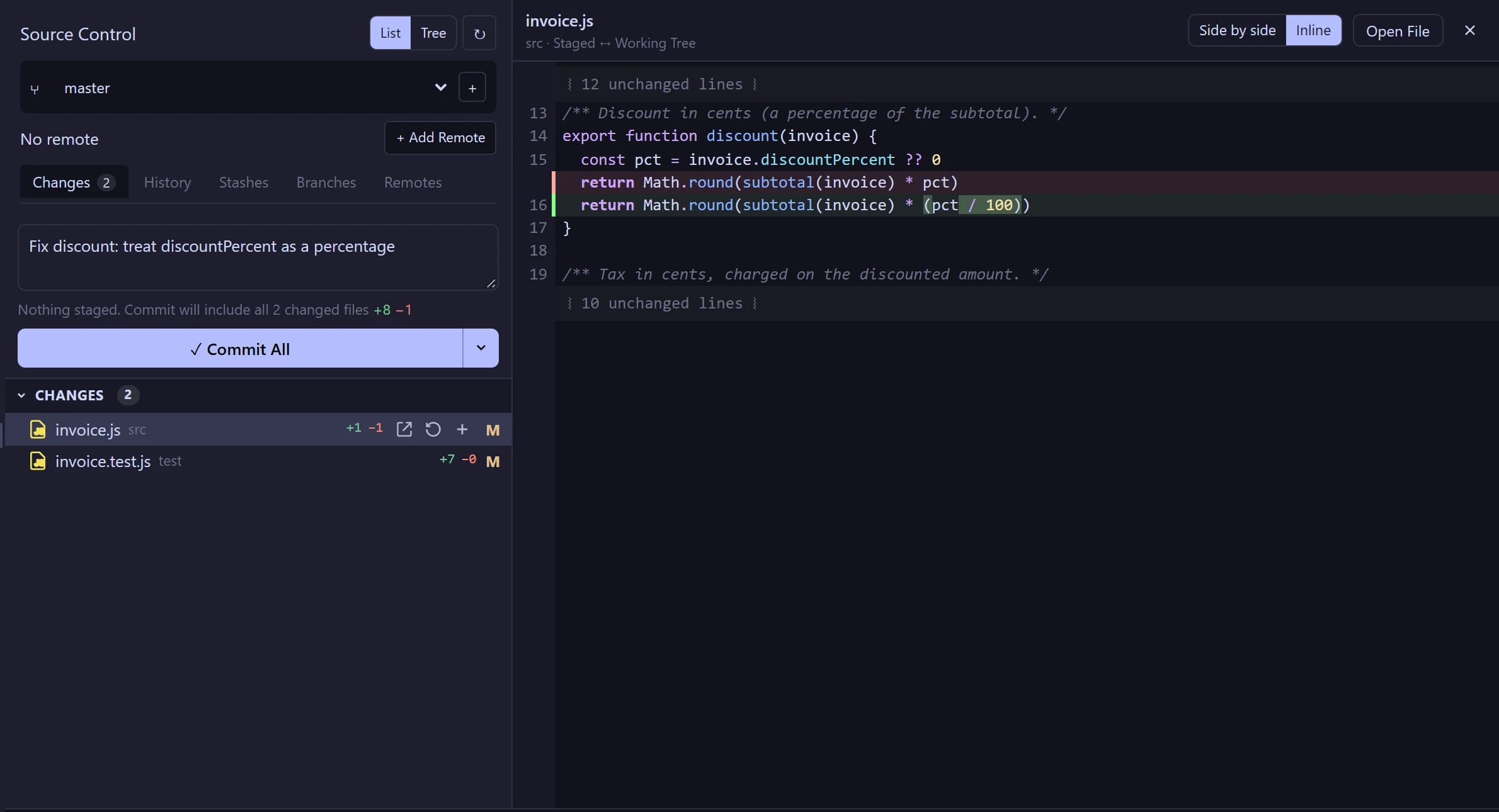
Review every change like a pull request
A real Source Control panel: staged and unstaged changes with line counts, inline or side-by-side diffs, commit, history, stashes and branches. Undo the agent's last edit with one shortcut.
3.1 · Background runs · Windows
Squig Power Code is a native IDE with an agent that plans the work, edits your code, runs your tests and checks its own results. Use a local model or your own API key. Pay once.
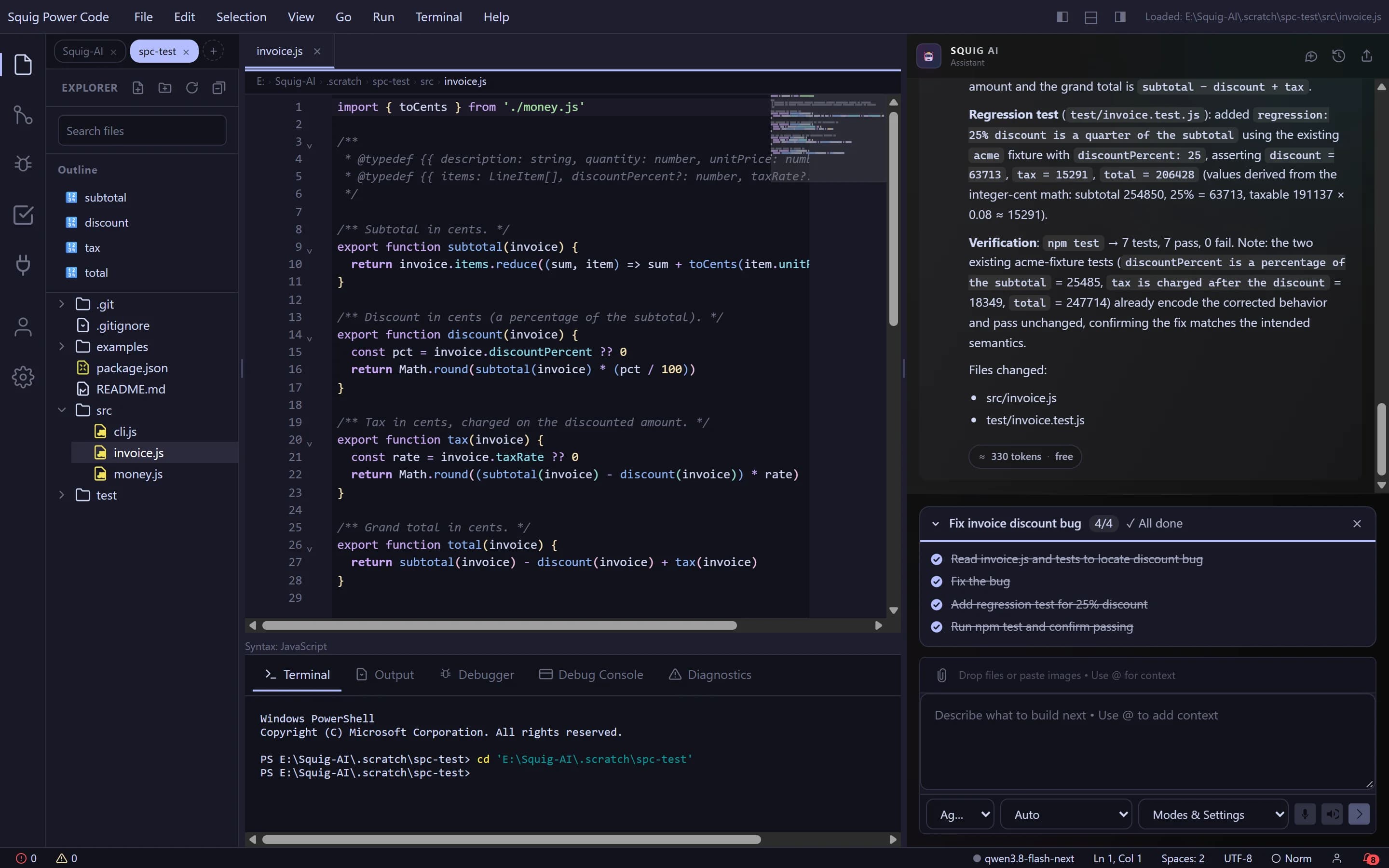
Real run, unedited: “Invoice totals are wrong whenever a discount is applied. Find the bug, fix it, add a regression test and make sure npm test passes.”
The agent breaks work into a task list you can watch, edits the code, runs your tests and only reports done when the steps are checked off and the results back it up.
A real Source Control panel: staged and unstaged changes with line counts, inline or side-by-side diffs, commit, history, stashes and branches. Undo the agent's last edit with one shortcut.
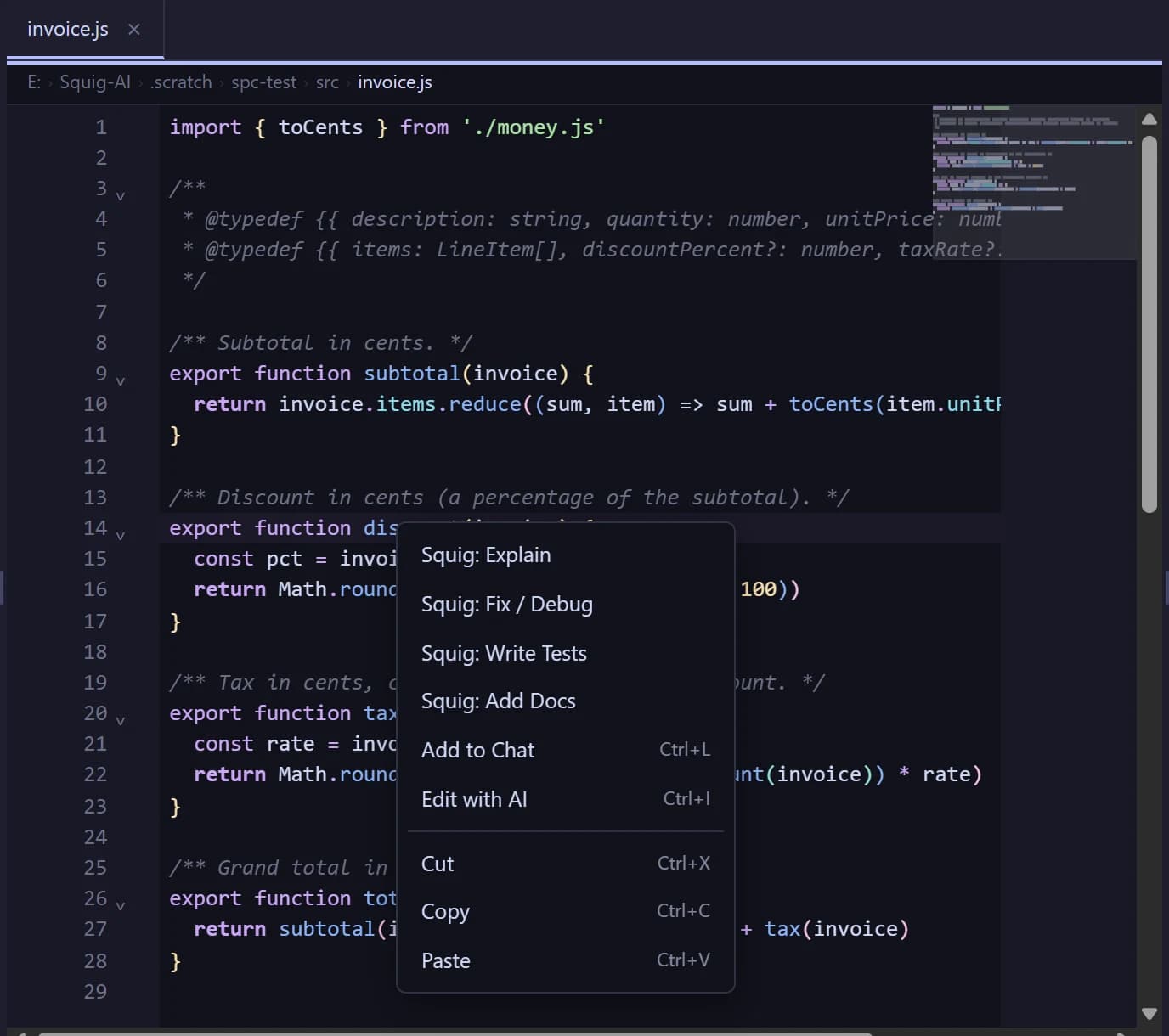
Right-click any code to explain it, fix it, write tests or add docs. Ctrl+L sends a selection to chat, errors get a “Fix with agent” button, and ghost-text autocomplete uses native fill-in-the-middle on code models.
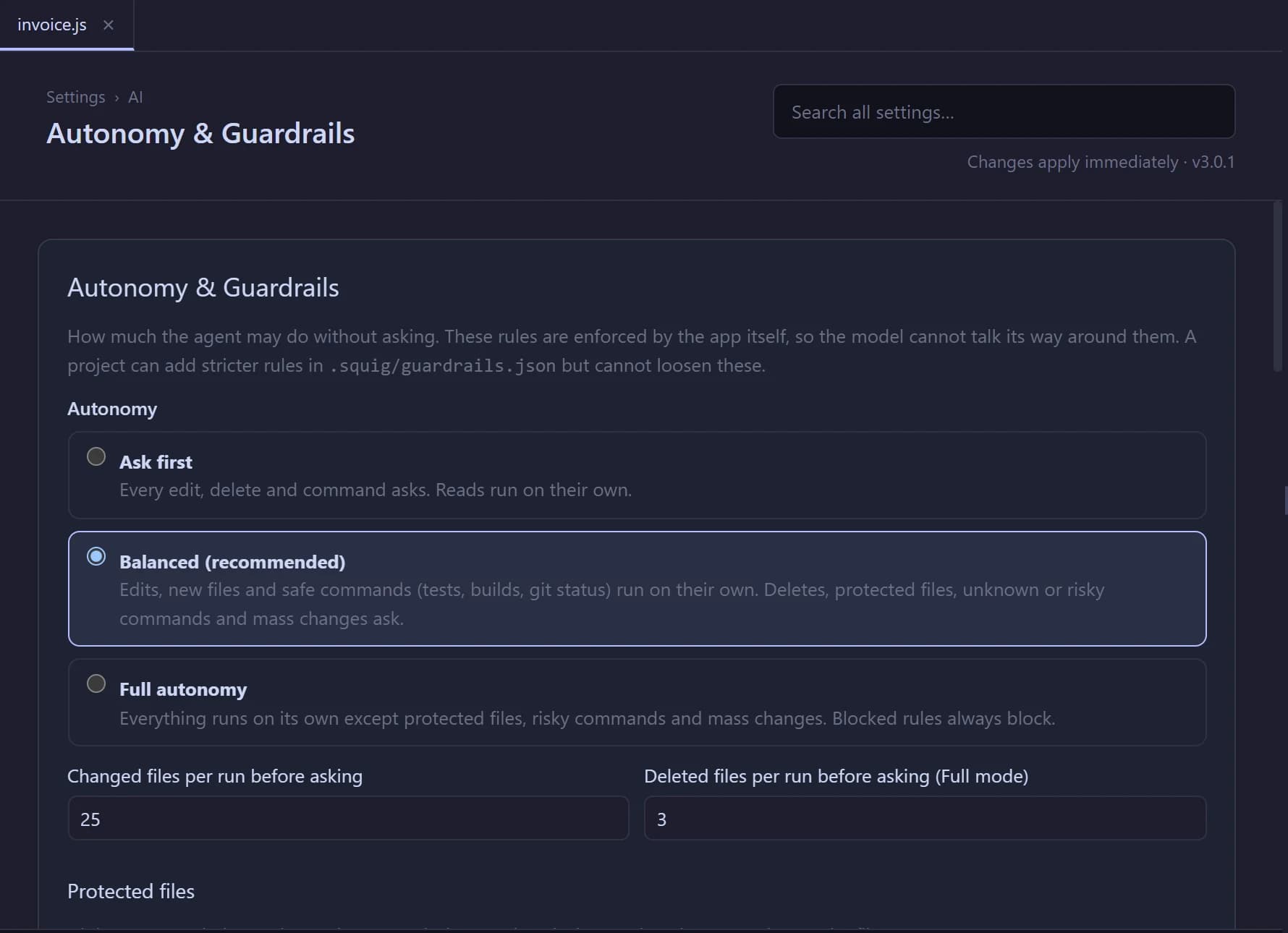
Pick how much the agent may do alone. Deletes, protected files, risky commands and mass changes always ask. The rules are enforced by the app, not by the prompt, so a model can't talk its way past them.
New in 3.1
Small local models do better on small steps. The pipeline splits a task into a plan and short tasks, checks each one with your tests and keeps going while you are away. In Balanced unattended mode, actions that need approval wait until you return. Best-of-N runs several attempts per task and lets the tests pick the winner.
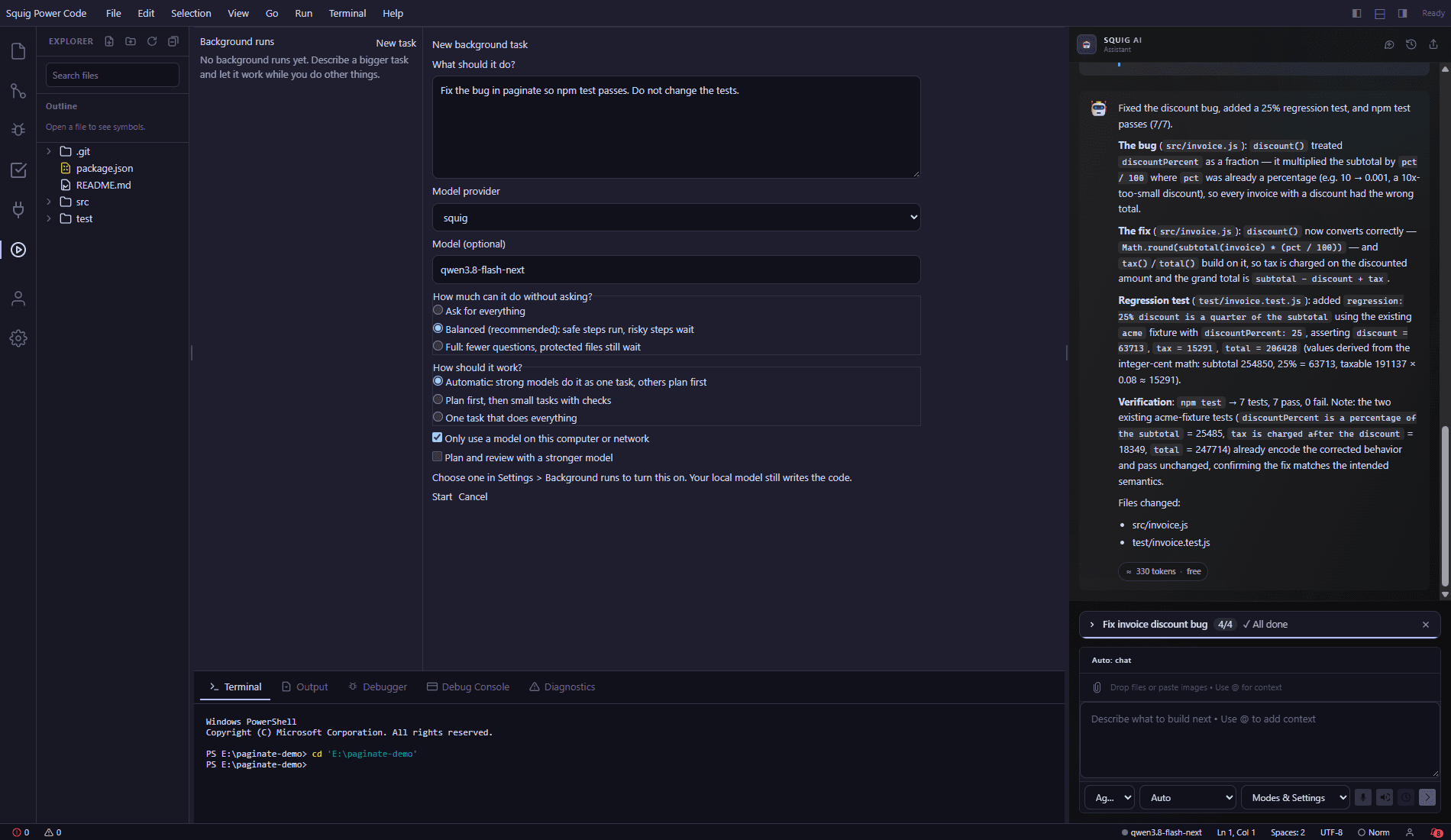
Pick Auto, Single or Pipeline. Pipeline plans the work, runs each task in a fresh context, gates it on your tests, reviews it and loops on fixes.
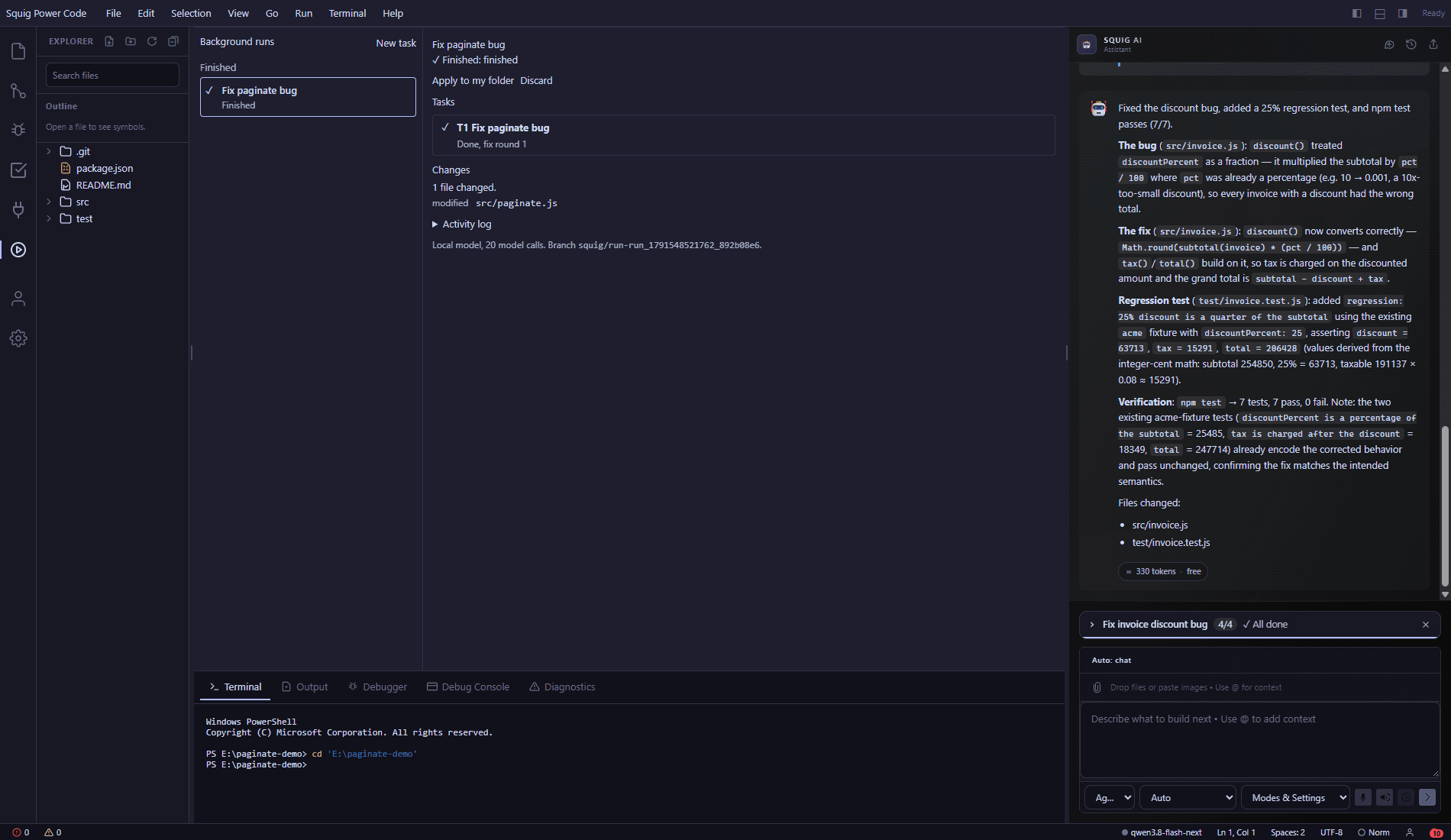
See the plan and per-task status. You get a notification when a run finishes or needs you, and runs resume after a restart.
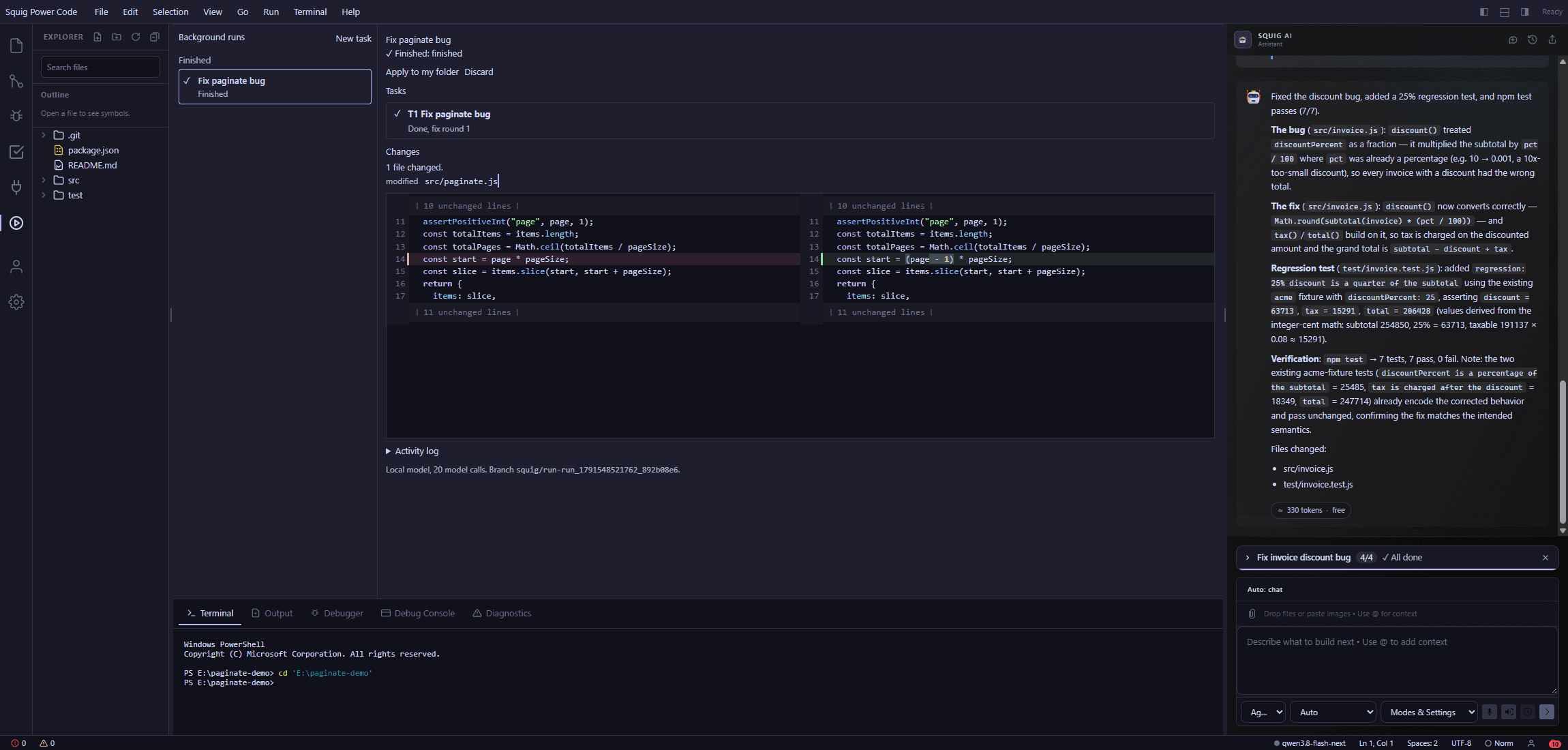
Open the diff of what the run changed before you keep it.
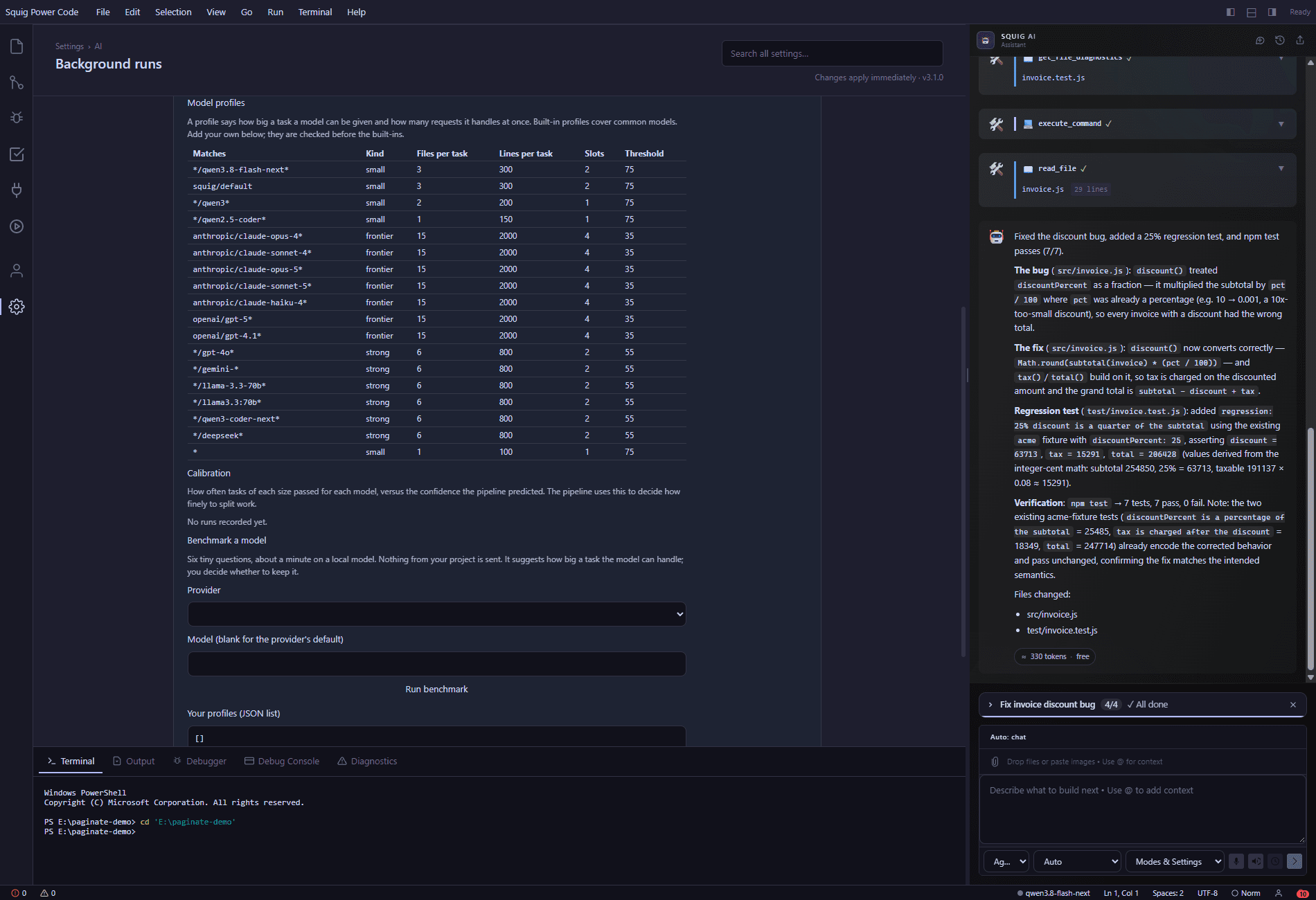
Model profiles set the mode per model. A quick benchmark helps you choose.
Screens show a real run on a small sample project with a local model. Results vary by model and task. Very large tasks can need several attempts, the reviewer is the same local model, and pipeline mode makes many more model calls than a single chat.
Local models through Squig Model Server or LM Studio, or bring your own OpenAI, Anthropic or xAI key. Any OpenAI-compatible server works too.
Keep your conventions in Markdown docs. A small router loads only the docs that match the request, so the context stays lean.
Connect Model Context Protocol servers from the MCP panel. Tool calls go through approval unless you trust them.
Capable models can hand broad searches to a read-only helper, keeping the main conversation focused.
Every turn shows its token count and cost. Per-run limits on rounds, time and spend stop runaway loops.
Built with Rust and Tauri, not Electron. An installer under 10 MB that keeps itself up to date with signed updates.
$49.99one-time
The Windows installer isn’t code-signed yet, so SmartScreen may say “Windows protected your PC” with an unknown publisher. Choose More info → Run anyway.
Want to check the file first? Every release lists SHA-256 checksums. In PowerShell:
Get-FileHash .\Squig.Power.Code_*_x64-setup.exeUpdates are signed and install from inside the app. Coming from 2.x? Install 3.x once over your existing copy; your settings and license carry over.
Looking for the other apps? See all products.